What is the best way to describe menu options on an RSVP form so guests choose confidently?
Vague meal labels produce wrong choices and day-of swaps. A few words of honest description on the form save your caterer and your guests from surprises.
Name the dish, then say what is in it
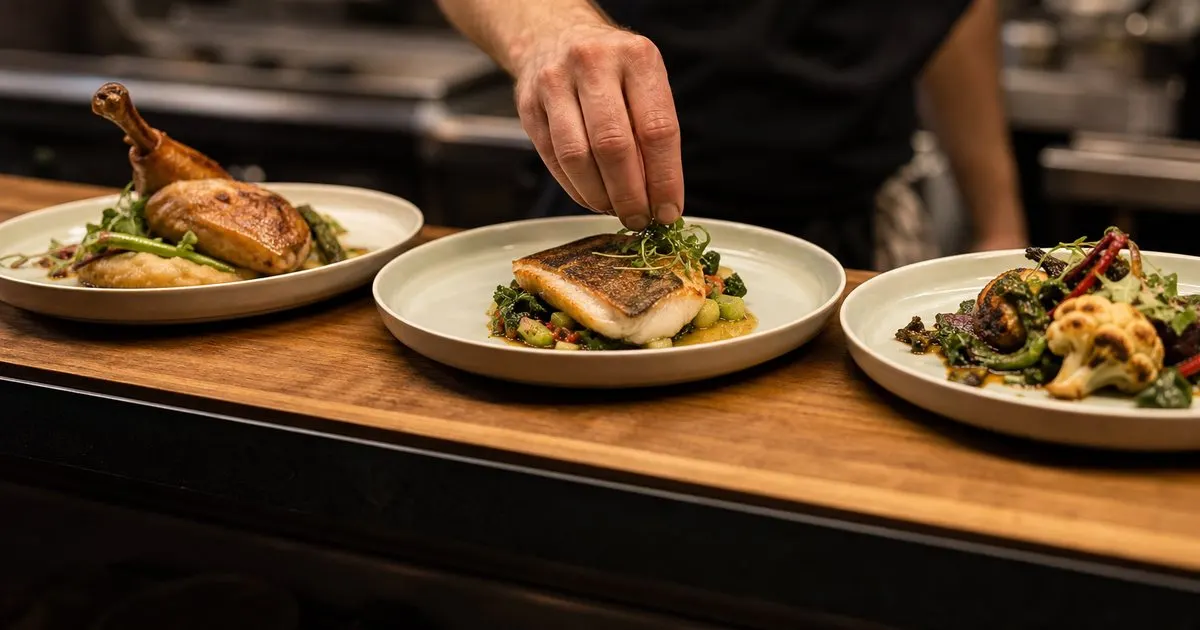
A form that offers beef, chicken, or vegetarian tells guests almost nothing. Is the beef a braised short rib or a filet? Is the vegetarian option a risotto or a stuffed pepper? Does the chicken come with a cream sauce? Guests with preferences or mild sensitivities either guess or write a question in the notes field, and both create work. Use the caterer's dish name, then add a one line description with the main components and the preparation.
The description does not need to be a menu card. Something like herb roasted chicken breast with lemon pan sauce, fingerling potatoes, and green beans gives a guest enough to know what they are choosing and to spot anything they avoid. Ask your caterer for their standard descriptions, since they have written them many times and know which details guests ask about. Related: How can a host gently chase guests who have not replied to an event invitation yet?
Keep reading: What is the easiest way to collect RSVPs and meal choices from every wedding guest at once?, How do you give your caterer an accurate final headcount without recounting guests all week?, How should an event host handle plus ones and whole families when collecting RSVPs online?. See how RsvpMealr helps you event rsvp and meal choice collection.
Call out the ingredients people actually avoid
Whatever the dish, note the presence of the ingredients guests most often need to know about: nuts, shellfish, dairy, gluten, pork, and alcohol used in the preparation. You are not making an allergen guarantee, and the form can say that clearly, but flagging these lets a guest with a nut allergy or a religious dietary rule choose without a back and forth. It also reduces the dietary notes you have to relay to the caterer, because the guest has already selected around the issue. Related: How do you give your caterer an accurate final headcount without recounting guests all week?
For the vegetarian or vegan option, be precise about which it is. Many guests who select vegetarian are actually vegan or dairy free, and many caterers offer a dish that happens to be vegan if you ask. Stating on the form that the option is vegan, or that a vegan version is available on request, prevents a plate being sent back at the table. If the kids plate is a fixed dish, describe it too, because parents choose based on whether their child will eat it.
Order, defaults, and the notes field
List the options in the order the caterer lists them, put the most common choice first, and never preselect a default. A preselected option gets left in place by guests who click through quickly, and you end up with a count skewed toward whatever happened to be first. Require a choice per attending guest rather than per household, since two people in one household frequently want different things.
Keep a short free text notes field beneath the meal choice, labeled specifically: anything the kitchen should know about this guest's meal. A generic comments box collects song requests and directions questions mixed in with the one allergy note that matters. Labeling the field narrows what guests write in it, and the responses become something you can hand to a caterer without editing. Related: What is the easiest way to collect RSVPs and meal choices from every wedding guest at once?
Preview the form as a guest before you send it
Before the link goes out, open the form on a phone and read it as a guest who has never seen the menu. Are the descriptions readable without scrolling sideways? Does the vegetarian option say enough? Is the deadline visible? Then send it to two or three friends who are not attending and ask them what they would have chosen and whether anything confused them. Ten minutes of that kind of testing prevents a week of clarifying messages. Related: What is the best way to collect dietary restrictions from guests without a dozen follow up messages?
When your caterer changes a dish after invitations go out, update the form immediately and message guests who already chose the changed option. A tool that keeps a record of what each guest selected and when is useful when someone insists they never picked the fish, but any tool works as long as you keep the descriptions current, because guests remember what they read, not what the kitchen later decided.
- Use the caterer's dish name plus a one line description of main components and preparation.
- Flag nuts, shellfish, dairy, gluten, pork, and alcohol so guests can select around them without asking.
- List options in the caterer's order, never preselect a default, and require one choice per guest.
- Preview the form on a phone and test it with a few non-attending friends before sending the link.

Julien Jimenez
Julien Jimenez is an independent software builder based in Paris. He designs, ships, and operates focused SaaS products for small businesses and independent professionals. Read the full author page.
RSVPs and meals, neatly counted
Event RSVP and meal choice collection. RsvpMealr is built to help you put this into practice.
Start collecting RSVPsMore from the RsvpMealr blog



Get the RsvpMealr playbook
Practical guides on event guest management, straight to your inbox as we publish them. No spam, unsubscribe any time.