How much meal information should place cards carry so servers deliver the right plate to each guest?
Meal indicators on place cards are the last link between your RSVP data and the kitchen. Here is what to include, what to leave off, and how to keep it accurate.
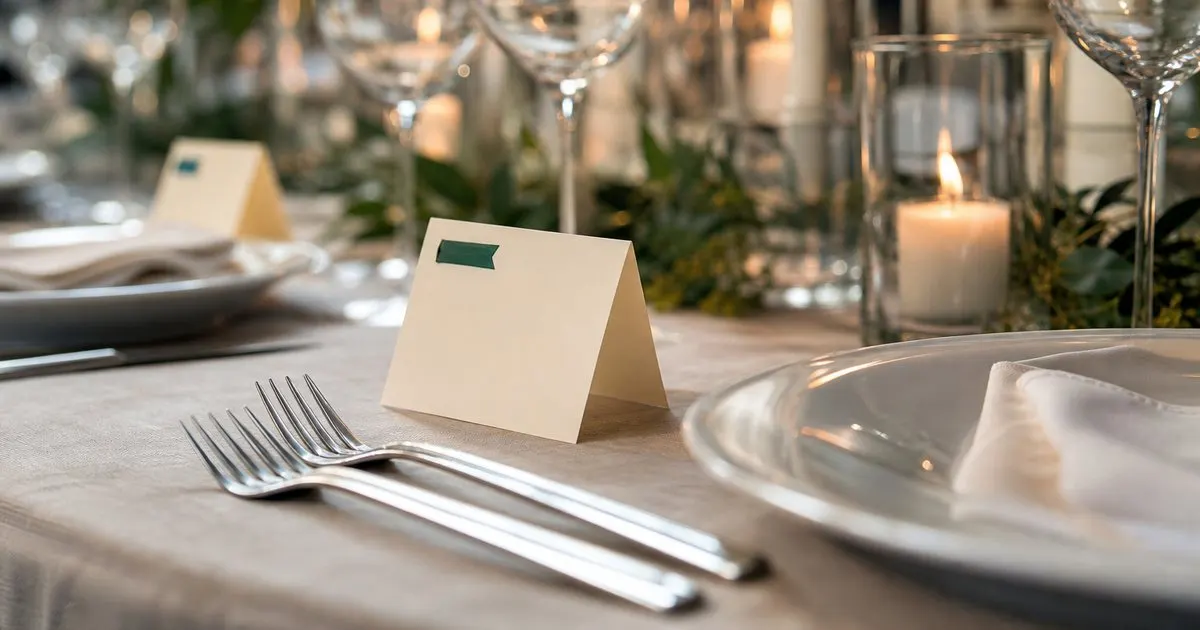
What the server actually needs at the table
During a plated service, a server arrives at a table of eight or ten with a tray or a sequence of plates and has seconds to match each plate to a guest. What they need is a visual cue readable from standing height in dim lighting: which entree this person chose, and whether there is an allergy or special plate. Everything else on the card is for the guest, not the server.
That means the indicator must be unambiguous at a glance. A small colored dot, a printed symbol, a ribbon, or a single letter in the corner all work, provided the legend is simple and the catering captain has it before service starts. A discreet icon looks elegant but fails if two icons look alike by candlelight. Test your cards under the venue's actual lighting if you can, or at least in a dim room at home.
Keep reading: What is the easiest way to collect RSVPs and meal choices from every wedding guest at once?, How do you give your caterer an accurate final headcount without recounting guests all week?, How should an event host handle plus ones and whole families when collecting RSVPs online?. See how RsvpMealr helps you event rsvp and meal choice collection.
Include the entree, flag the special plates, skip the rest
Carry three things at most. First, the entree choice, using one indicator per option on the menu. Second, a distinct flag for any special plate, meaning an allergy accommodation, a kids plate, or a vegan substitution that is not one of the standard options. Third, if your caterer asks for it, an indicator that the guest is a vendor being fed at a vendor rate. That is enough for a server to plate correctly without reading a name. Related: How do you give your caterer an accurate final headcount without recounting guests all week?
Leave off detailed dietary notes. A card that says no dairy or nut allergy invites a server to improvise, and the kitchen already has the full note attached to the name and table on the sheet you sent them. The card's job is to point to the right plate, not to describe it. Fewer categories also means fewer printing mistakes, which are a common reason a guest receives the wrong meal. Related: What is the best way to collect dietary restrictions from guests without a dozen follow up messages?
Keep the cards tied to the list until the last possible moment
Place cards are printed from a guest list, and any change to the list after printing must reach the cards. The reliable approach is to generate the card data from your RSVP tool or master spreadsheet as a single export with name, table, entree, and special flag, and print from that file. If you hand type cards from memory or from a screenshot, the meal on the card and the meal in the kitchen sheet will eventually disagree. Related: What is the easiest way to collect RSVPs and meal choices from every wedding guest at once?
Print as late as your stationer or printer allows, and keep a small batch of blank cards and a matching pen or the same sticker sheet at the venue. When a guest swaps meals on the day, the coordinator writes a fresh card with the correct indicator and updates the kitchen sheet at the same time. Two changes, made together, keep the system honest.
Brief the catering captain, not just the cards
Even perfect cards fail if the service team does not know the legend. Send the catering manager a one page sheet before the event showing each indicator next to its meaning, the per-table meal counts, and the list of special plates with names and table numbers. Ask that the captain review it with servers during their pre-shift briefing. Most catering teams do this by default, but confirming costs you one email.
If your event has escort cards at the entrance and separate place cards at seats, the meal indicator belongs on the place card because that is what sits in front of the guest. If you use only escort cards that guests carry to their seat, put the indicator there and remind guests on the welcome sign to keep the card at their place. A card in a pocket helps nobody when the plates arrive. Related: How should an event host handle plus ones and whole families when collecting RSVPs online?
- A server needs to read the entree choice and any special plate flag from standing height in dim light, nothing more.
- Use one clear indicator per menu option plus a distinct flag for allergy, kids, and off-menu plates.
- Print cards from the same export as the kitchen sheet, as late as possible, and keep blanks for day-of swaps.
- Send the catering captain a legend and per-table counts so servers are briefed before the first plate goes out.

Julien Jimenez
Julien Jimenez is an independent software builder based in Paris. He designs, ships, and operates focused SaaS products for small businesses and independent professionals. Read the full author page.
RSVPs and meals, neatly counted
Event RSVP and meal choice collection. RsvpMealr is built to help you put this into practice.
Start collecting RSVPsMore from the RsvpMealr blog



Get the RsvpMealr playbook
Practical guides on event guest management, straight to your inbox as we publish them. No spam, unsubscribe any time.